
Artificial intelligence has become part of the everyday workplace faster than most companies expected.
Employees are using AI to draft emails, summarize documents, analyze spreadsheets, write proposals, troubleshoot problems, prepare presentations, research customers, and speed up countless other tasks.
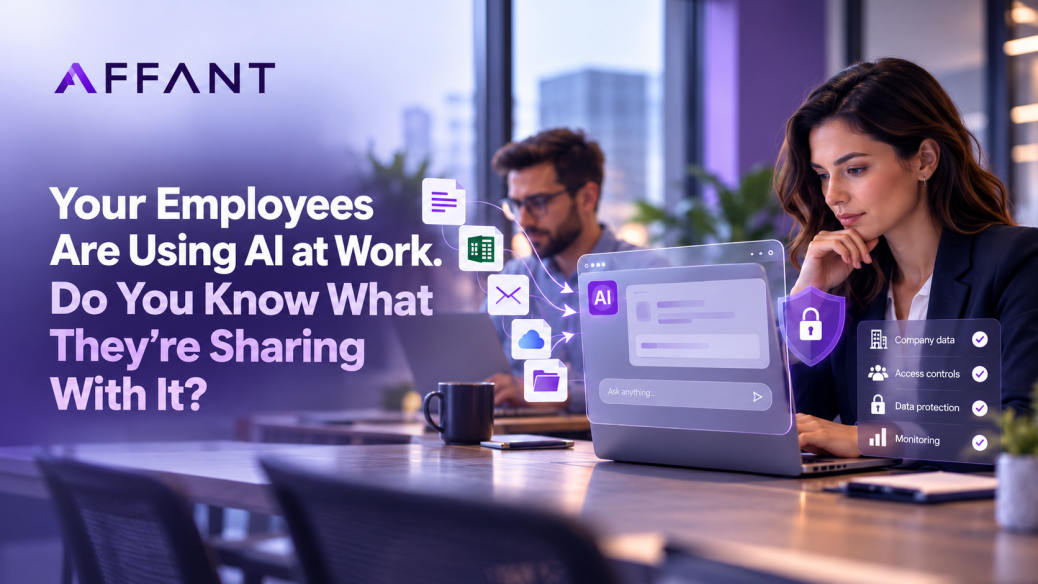
The problem is that many businesses do not actually know which AI tools their employees are using or what company information is being entered into them.
That creates a new category of IT risk often referred to as shadow AI.
What Is Shadow AI?
Shadow AI happens when employees use artificial intelligence tools for work without approval or oversight from their company’s IT or security team.
It could be an employee using a personal ChatGPT account to summarize a customer contract. It could be someone uploading a spreadsheet into an AI analysis tool. It might even be a department connecting an AI application directly to email, cloud storage, or another business system.
The employee may simply be trying to work faster.
But from an IT perspective, the company may have little visibility into where that information is going, how it is stored, or who can access it.
This is no longer a hypothetical problem.
IBM reported in a 2025 study that 80% of surveyed American office workers used AI in their jobs, but only 22% relied exclusively on tools provided by their employers.
A 2026 Okta survey found that more than half of surveyed knowledge workers had used AI tools for work without explicit approval from IT or security. Among employees using unapproved tools, respondents reported sharing internal messages, HR information, confidential documents, and even credentials with AI platforms.
The Problem Is Not AI. It Is Unmanaged AI.
Blocking every AI tool is usually not a realistic strategy.
Employees are adopting AI because it can make them more productive. Microsoft’s 2026 Work Trend Index found that workers are continuing to expand how they use AI and AI agents, while many organizations are still working to establish the systems, policies, and leadership needed to manage that usage effectively.
The better approach is to give employees clear boundaries and approved tools.
Without those controls, employees may unknowingly paste sensitive information into systems that were never approved to handle it.
That information might include customer data, financial information, employee records, contracts, internal emails, proprietary processes, source code, passwords, or other confidential material.
The risk increases even further when AI applications are granted access to company email, Microsoft 365, cloud storage, CRM platforms, or other internal systems.
At that point, an AI tool is no longer simply answering a question. It may have direct access to a large portion of the organization’s data.
Personal AI Accounts Can Create Additional Risk
One of the easiest mistakes to make is assuming that an AI tool is safe simply because it is widely used.
The business version of an AI platform may have very different security, administrative, privacy, and data-handling controls than a free or personal account.
If employees are using personal accounts, the company may have no centralized ability to manage those accounts, remove access when someone leaves the organization, enforce security policies, or understand what data has been uploaded.
It is similar to the problem companies faced years ago when employees started using personal Dropbox or Google Drive accounts for business files.
The technology changed. The underlying IT problem did not.
AI Should Be Part of Your Security Policy
Businesses already have policies covering passwords, email, file sharing, mobile devices, and cloud applications.
AI should now be part of that conversation.
A basic AI policy should define which tools employees are allowed to use, what types of information can and cannot be entered into them, which accounts should be used, and when IT approval is required before connecting an AI application to company systems.
Companies should also consider whether their existing security tools can identify unauthorized AI applications or prevent sensitive information from being uploaded.
Netskope’s 2026 Cloud and Threat Report found that half of organizations in its dataset lacked enforceable data protection policies for generative AI applications. It also reported a significant increase in detected generative AI-related data policy violations as usage grew.
That gap can leave businesses with very little visibility into how AI is actually being used.
Microsoft 365 Businesses Should Pay Particular Attention
For companies already using Microsoft 365, AI governance increasingly overlaps with identity management, permissions, Conditional Access, data classification, and Microsoft security controls.
That means adopting AI safely is not just about choosing an AI product.
Businesses need to understand which users have access to which information, whether sensitive files are properly protected, whether former employees still have access, and whether third-party applications can connect to company data.
Those are traditional IT responsibilities that become even more important as AI becomes integrated into everyday workflows.
Start With Visibility
Before writing a complicated AI strategy, businesses should start with a simpler question:
What AI tools are our employees already using?
From there, the organization can identify which applications are appropriate, establish approved tools, create reasonable usage guidelines, and put technical controls around sensitive information.
Employees are probably going to continue using AI.
The goal should not be to stop them from becoming more productive.
The goal is to make sure productivity does not come at the expense of the company’s data.
Is Your Business Ready for AI?
If your company has adopted AI without updating its IT and security policies, now is a good time to review your environment.
Affant helps businesses evaluate their Microsoft 365 environment, security controls, access policies, cloud applications, and overall IT infrastructure so new technologies can be adopted without creating unnecessary risk.
Talk to Affant about an IT and security assessment and find out where your business may be exposed.