
For years, cybersecurity conversations focused heavily on protecting the company network.
Businesses worried about hackers breaking into servers, exploiting firewalls, installing malware, and gaining access to files stored inside the office.
Those threats have not disappeared. But the way businesses work has changed.
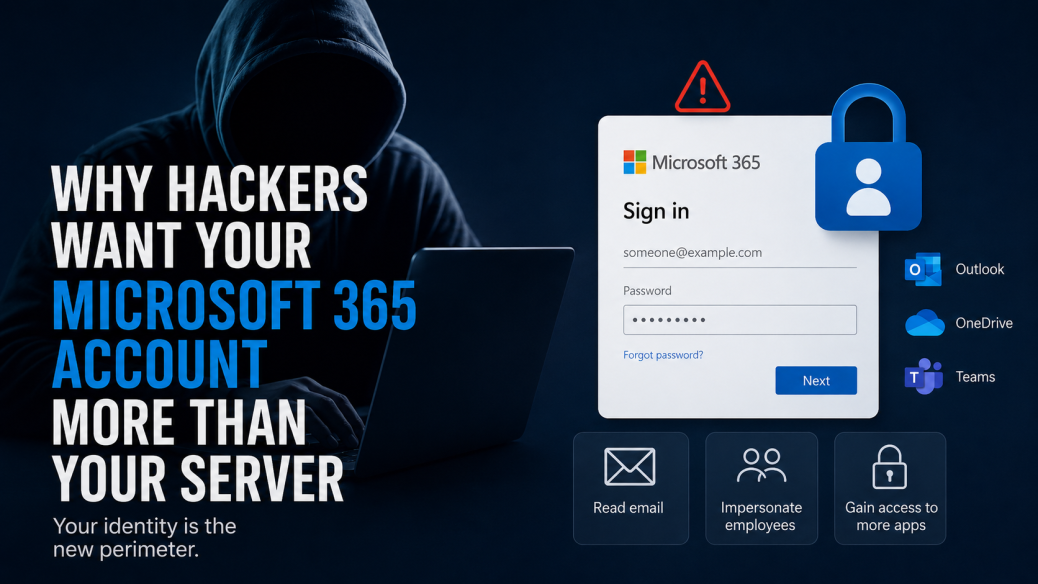
Email, documents, calendars, file sharing, collaboration, and even authentication are increasingly handled through cloud platforms such as Microsoft 365. That means an attacker may no longer need to break into your physical network to cause serious damage.
Sometimes, all they need is one Microsoft 365 account.
Your Microsoft 365 Login Is More Than an Email Password
Think about what an employee can access after signing into Microsoft 365.
There is Outlook email, OneDrive files, SharePoint documents, Teams conversations, calendars, contact information, and potentially other applications connected to the employee’s Microsoft identity.
For administrators and executives, the potential access can be even greater.
That makes an employee’s identity extremely valuable to an attacker.
Instead of trying to exploit a server from the outside, an attacker who successfully compromises an account may be able to log in through the same Microsoft services employees use every day.
And once they are authenticated, malicious activity can be much harder to distinguish from legitimate activity.
Microsoft reported that identity-based attacks increased 32% during the first half of 2025. Its security research has also found that password attacks continue to make up the overwhelming majority of identity attacks.
What Can an Attacker Do With a Compromised Account?
The obvious answer is read email.
But that is only the beginning.
Access to an employee’s inbox gives an attacker information about how the company operates. They can see customers, vendors, invoices, internal conversations, schedules, and ongoing projects.
That information can then be used to make the next stage of an attack much more convincing.
An attacker could monitor an email conversation with a vendor and wait until an invoice is expected. They might then create a rule that hides certain incoming messages and send new payment instructions from the legitimate employee account.
They could search OneDrive or SharePoint for sensitive documents.
They could impersonate the employee internally.
They could send phishing emails to coworkers from a trusted company address.
They might even use the compromised identity to gain access to additional cloud applications.
The account itself becomes the attack platform.
Phishing Has Evolved Beyond Stealing Passwords
This is one reason simply telling employees not to share their passwords is no longer enough.
Modern phishing attacks can be considerably more sophisticated.
In a traditional phishing attack, an employee receives an email containing a link to a fake Microsoft sign-in page. The employee enters a username and password, and the attacker captures the credentials.
Multi-factor authentication helps protect against this type of attack and remains an extremely important security control.
However, attackers have developed techniques designed to get around some traditional forms of MFA.
One example is an adversary-in-the-middle, or AiTM, phishing attack.
Instead of simply collecting a password, the attack proxies the sign-in process between the employee and the legitimate Microsoft service. The employee may enter their password and even complete an MFA request.
The attacker attempts to capture the authenticated session token created during that process.
Microsoft documented a large AiTM phishing campaign in April 2026 that targeted more than 35,000 users across over 13,000 organizations in 26 countries. The attack was designed to capture authentication tokens that could provide access after the victim completed the sign-in process.
Why Session Tokens Matter
A session token essentially tells an application that a user has already authenticated.
It is one of the reasons you do not have to type your password and complete MFA every time you click from Outlook to OneDrive or another Microsoft service.
If an attacker obtains a valid authentication token, they may be able to hijack that authenticated session.
This changes the security equation.
The attacker is no longer necessarily trying to figure out your password. They are trying to steal proof that you have already successfully logged in.
Microsoft’s investigation into the Tycoon2FA phishing platform, published in March 2026, showed how attackers were impersonating Microsoft 365, OneDrive, Outlook, SharePoint, and other services while intercepting credentials and session cookies. Microsoft noted that access could potentially persist even after a password reset unless the compromised sessions and tokens were explicitly revoked.
That is why resetting an employee’s password may not always be the complete response to an account compromise.
MFA Still Matters, But How You Use It Matters Too
None of this means MFA does not work.
Quite the opposite.
MFA remains one of the most important protections a business can deploy. Microsoft’s own research has found that MFA dramatically reduces the risk of account compromise.
But businesses should not treat MFA as a simple checkbox.
Different authentication methods provide different levels of resistance to phishing.
Organizations should also consider additional controls such as Conditional Access, device compliance requirements, unusual sign-in detection, geographic restrictions where appropriate, and phishing-resistant authentication methods.
The goal is not simply to ask employees for another number when they log in.
The goal is to make stolen credentials significantly less useful to an attacker.
One Compromised Account Can Affect the Entire Company
The problem becomes especially serious when an attacker compromises an employee who has elevated permissions.
Administrator accounts can potentially modify users, change security settings, create applications, access additional resources, or grant permissions.
Even a standard employee account can be dangerous because coworkers trust it.
Imagine receiving an email from someone you work with every day asking you to review a document.
There are no obvious spelling mistakes. The sender’s address is correct. The message references a real project you are currently working on.
You click the link because everything looks legitimate.
That is exactly why compromised business accounts are so valuable.
The attacker does not have to imitate your coworker.
They are your coworker, at least as far as the email system is concerned.
Microsoft 365 Security Requires More Than Turning on MFA
Protecting Microsoft 365 should be treated as an ongoing IT responsibility.
Businesses should regularly review who has access to their environment, which accounts have administrative privileges, how authentication policies are configured, and whether suspicious login activity is being monitored.
Old accounts should be disabled when employees leave.
Administrator access should be limited.
Third-party applications and OAuth permissions should be reviewed.
Security alerts need to go somewhere that someone is actually watching.
Employees should know how to identify suspicious sign-in requests and unexpected MFA prompts.
And there needs to be a clear response process when an account is suspected of being compromised.
Microsoft’s 2025 security reporting specifically highlights threats involving OAuth consent phishing, device code phishing, compromised identities, and non-human identities such as applications and services.
The Microsoft 365 environment has become a major part of the organization’s security perimeter.
Your Identity Is the New Perimeter
The traditional office network had a relatively obvious boundary.
There was an office, a firewall, some servers, and computers behind it.
Cloud computing changed that.
Employees can now access company information from laptops, phones, home networks, hotels, customer sites, and practically anywhere else with an internet connection.
That flexibility is one of Microsoft 365’s biggest advantages.
It also means security has to follow the user.
Knowing who is logging in, what they are accessing, which device they are using, and whether that activity is normal has become just as important as protecting the network itself.
Make Sure Someone Is Watching Your Microsoft 365 Environment
Microsoft provides businesses with powerful security capabilities, but those capabilities still need to be configured, maintained, and monitored correctly.
That is where having the right IT team matters.
Affant helps businesses manage Microsoft 365 alongside the rest of their IT environment, including account security, access controls, endpoint protection, monitoring, patching, backups, and ongoing support.
If something suspicious happens, you should not be discovering it weeks later while searching through an employee’s inbox.
You should have a live team that understands your environment and knows what to do next.
Contact Affant today to learn how we can help secure and manage your Microsoft 365 environment.